Hardware

Hardware Wallet

Add to cart

Merchandise

Software

Desktop

All-in-one desktop app

Browser Extension

Web3 & dApp integration

Mobile

Portfolio on the go

Firmware

Device updates

Product

Coins

Blog

About

Desktop AppMultichain

Your Crypto, Your Desktop

The command center for your KeepKey. Set up your device, manage your portfolio, swap across chains, and bridge your hardware wallet to the entire web3 ecosystem — all from one app.

Free & Open Source

No Registration

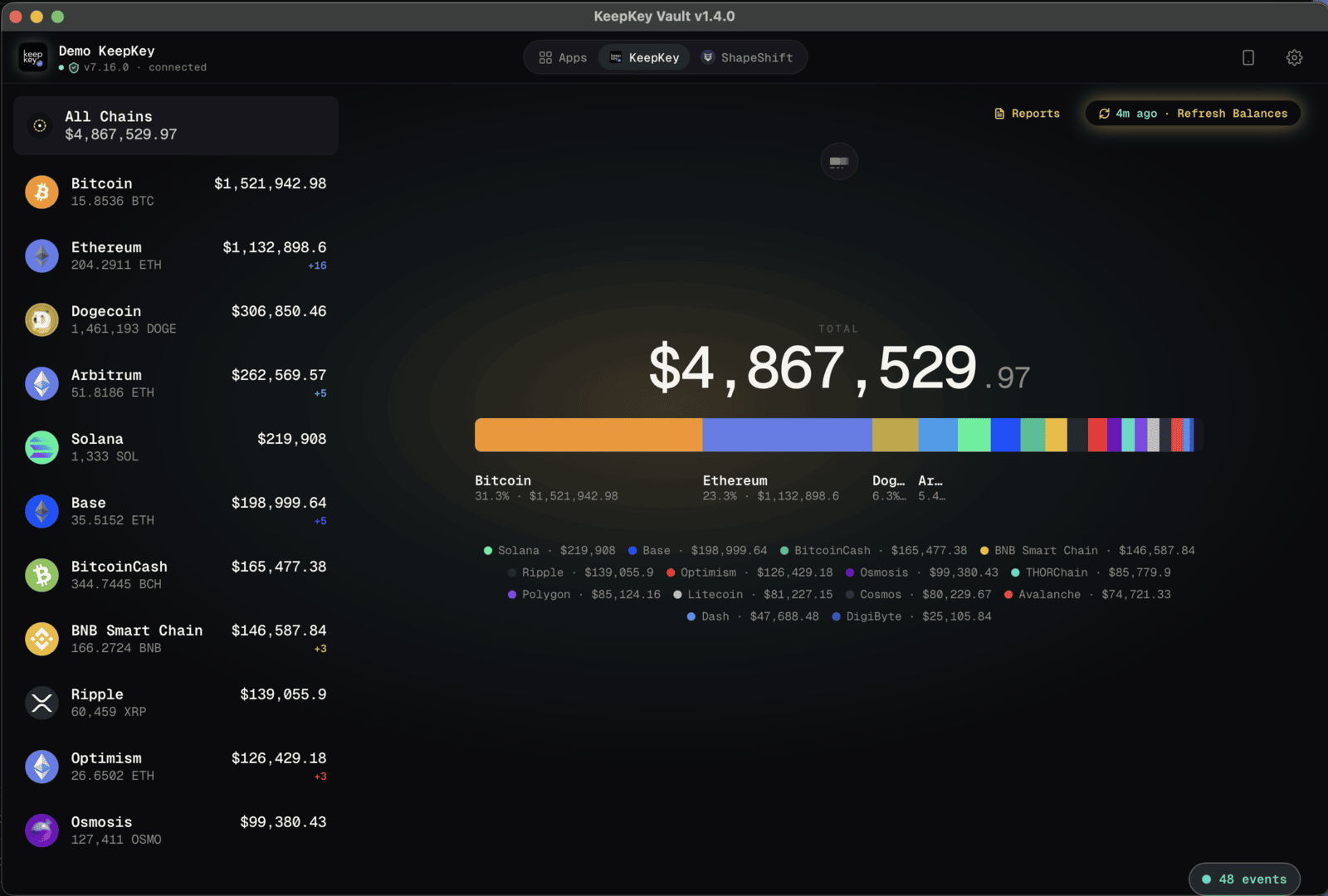
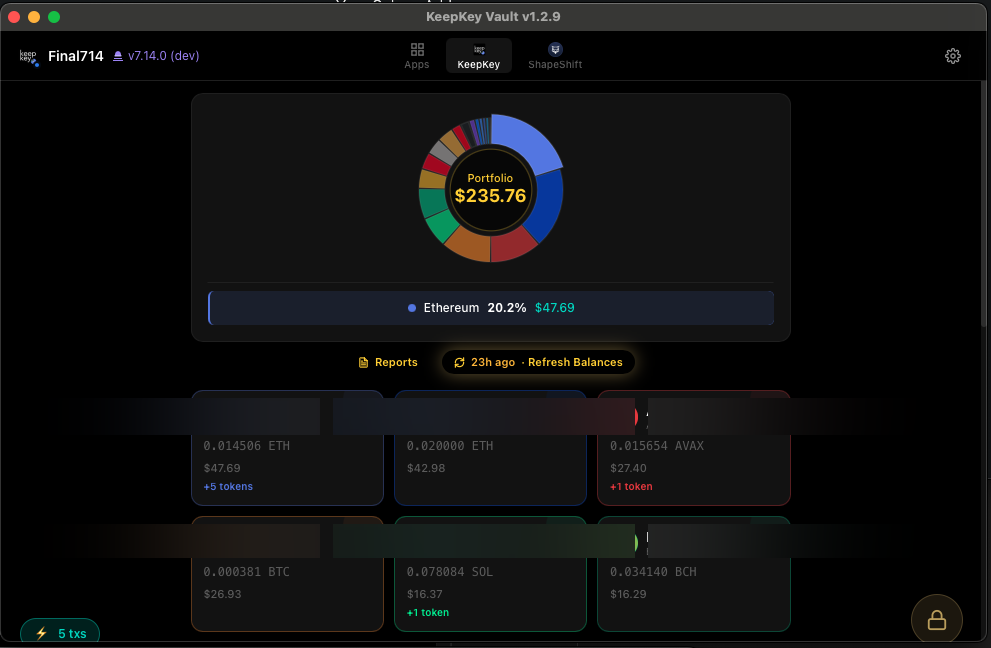
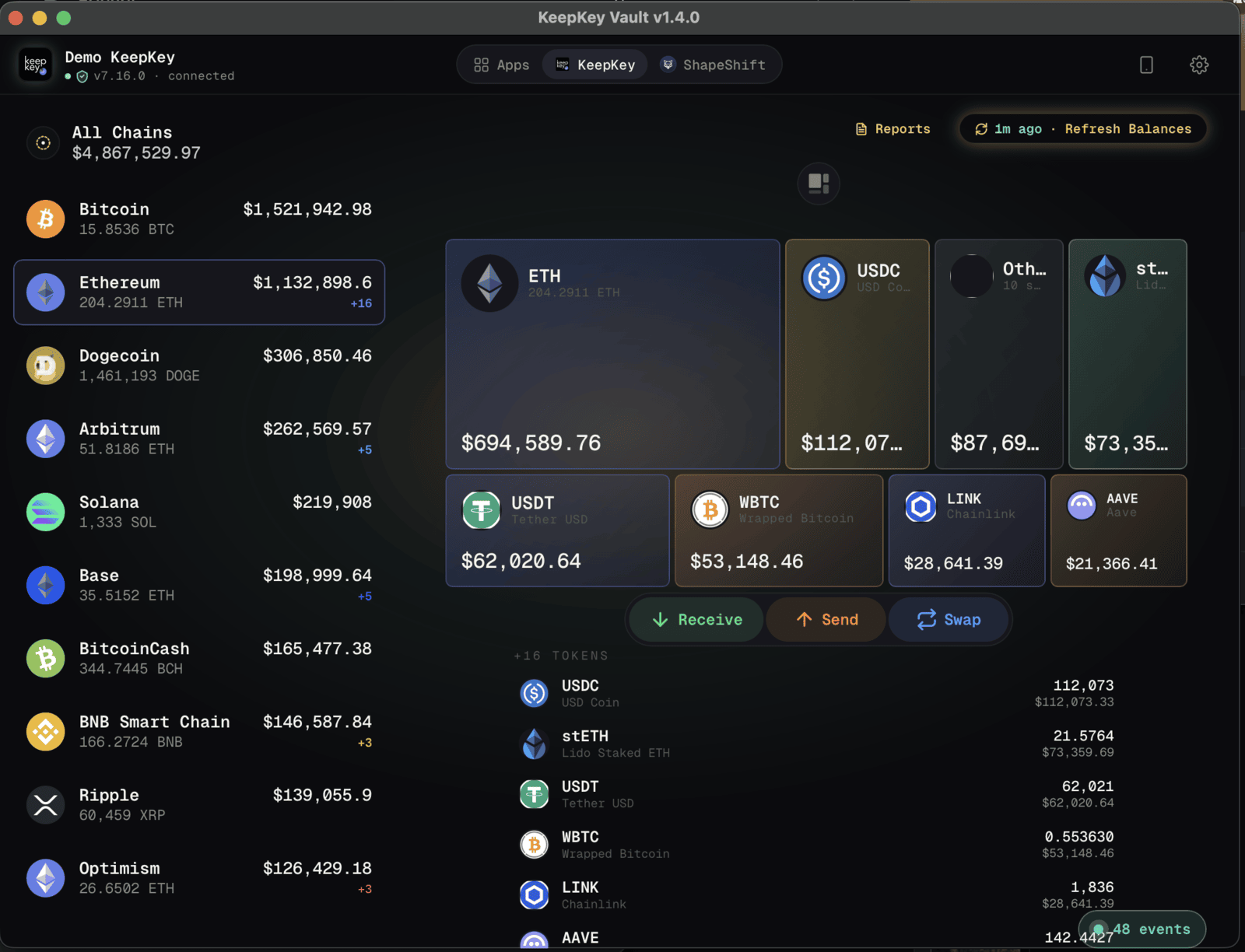
KeepKey desktop multi-chain portfolio dashboard

One app, everything you need

KeepKey Desktop is where your hardware wallet meets the rest of the crypto ecosystem.

Device Setup & Onboarding

Firmware updates, wallet creation, PIN setup, and seed recovery — all guided step by step.

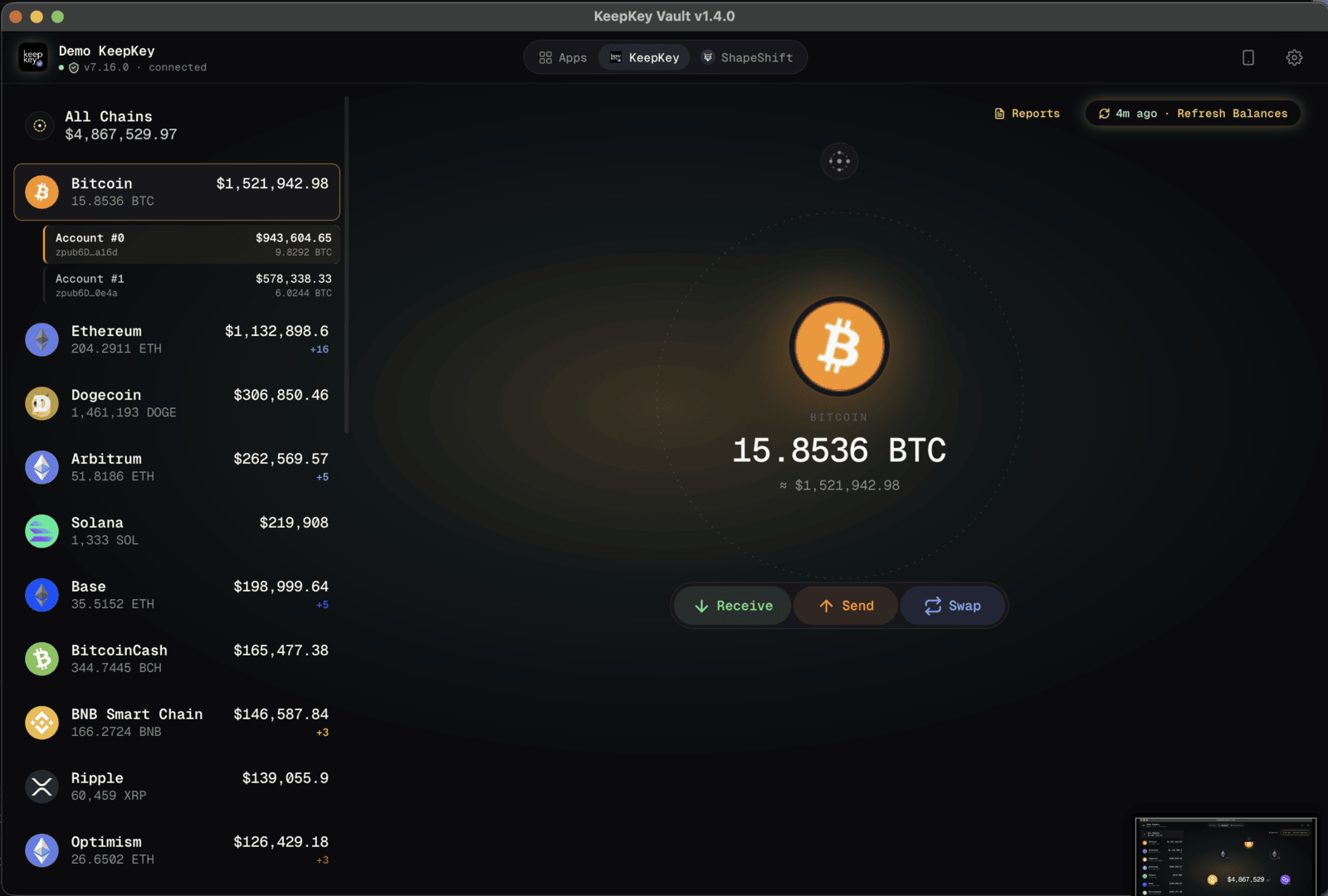
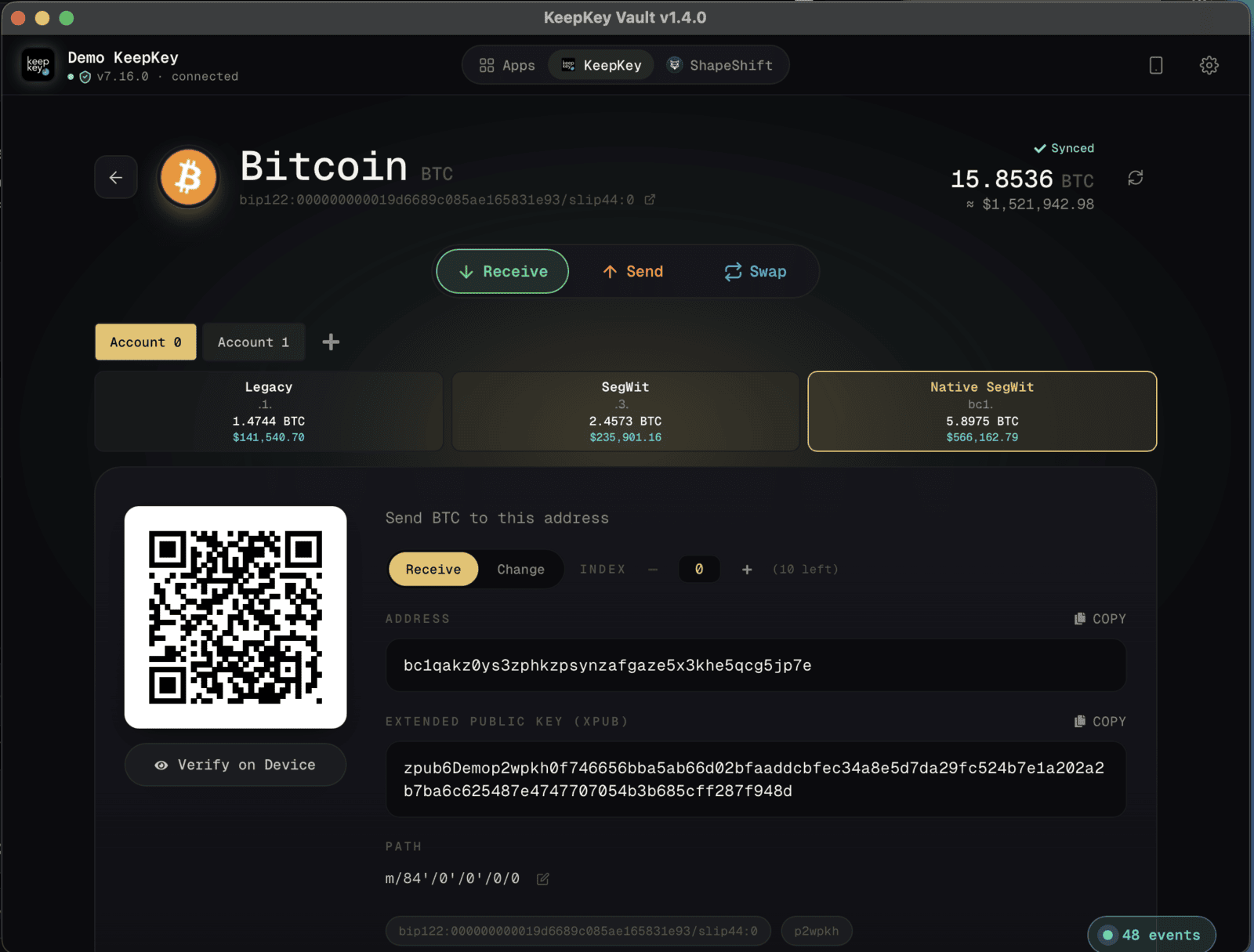
Multi-Chain Portfolio

21+ networks. Bitcoin, Ethereum, Cosmos, THORChain, Solana, and hundreds of EVM chains in one dashboard.

Cross-Chain Swaps

Swap any asset via THORChain and Mayachain. No KYC, no intermediaries, hardware-signed.

API Bridge for BEX & dApps

REST API on port 1646 connects your hardware wallet to the Browser Extension and any web3 dApp.

Hardware-Verified Security

Every transaction confirmed on your KeepKey device. Private keys never leave the hardware.

Fast & Native

Native desktop app with direct USB connection. No Electron bloat, no browser required.

First Experience

From unboxing to secured in minutes

KeepKey Desktop walks you through every step of setting up your hardware wallet. No manual, no guesswork.

KeepKey firmware update interface

Firmware Update

The app detects your device and installs the latest firmware automatically. One click, fully verified.

KeepKey wallet setup seed phrase screen

Create or Recover

Generate a new wallet with a 12 or 24 word seed phrase, or recover an existing one with cipher-encrypted entry.

KeepKey device security settings

Secure Your Device

Set a PIN, enable BIP-39 passphrase protection, and verify your seed — all from the settings panel.

KeepKey multi-chain portfolio dashboard

All your chains, one dashboard

See your entire portfolio across 21+ networks at a glance. Bitcoin, Ethereum, THORChain, Cosmos, Solana, Litecoin, Ripple, Base — real-time balances and USD values updated automatically.

21+ networks supported

Real-time portfolio value

Individual chain balances

Refresh with one click

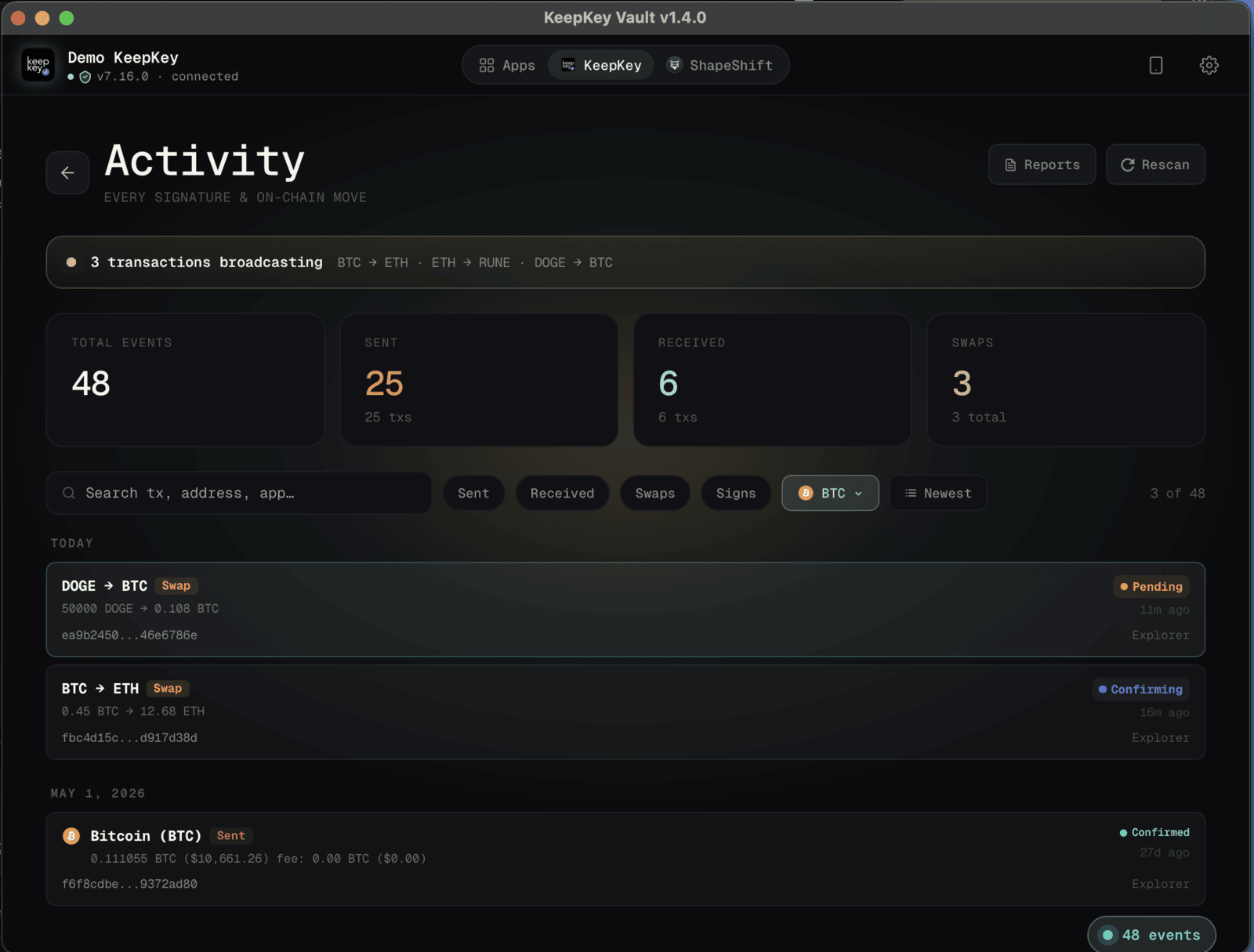
KeepKey cross-chain swap interface

Swap anything, trust no one

Trade across blockchains without ever leaving the app. Decentralized cross-chain swaps powered by THORChain and Mayachain mean your funds never touch a centralized exchange. Every swap is confirmed and signed on your hardware device.

THORChain native swaps

Mayachain integration

No KYC required

Hardware-signed execution

KeepKey API Bridge audit log showing paired apps
Key Concept

The bridge between hardware and web

KeepKey Desktop runs a local REST API on port 1646 that lets other apps communicate with your hardware wallet securely. This is what powers the KeepKey Browser Extension — and any dApp or SDK that integrates with KeepKey.

The API Bridge shows you exactly which apps are connected and every request they make. Full transparency, full control.

REST API on localhost:1646

Audit log of all paired apps and requests

Powers Browser Extension (BEX) connectivity

SDK integration for developers

Desktop + Browser Extension = Full Web3

The KeepKey Browser Extension connects to the Desktop app through the API Bridge. When both are running, your KeepKey works like MetaMask — except every transaction is signed on hardware. Use any dApp, DeFi protocol, or NFT marketplace with hardware-grade security.

DeFi Protocols

Uniswap, Aave, Curve...

NFT Marketplaces

OpenSea, Blur, Zora...

DAO Governance

Snapshot, Tally...

KeepKey security settings panel

Security you can verify

KeepKey Desktop gives you full control over your device's security settings. Set a PIN with scrambled keypad entry, enable BIP-39 passphrase for hidden wallets, verify your recovery seed against the device, and configure signing policies — all without touching a command line.

PIN protection with scrambled entry

BIP-39 passphrase (hidden wallets)

Seed verification (12/18/24 words)

Signing policy controls

KeepKey add custom EVM chain dialog

486 EVM chains and counting

Every major EVM network is built in — Quai, Rootstock, Cronos, Flare, KardiaChain, and hundreds more. Search by name or chain ID, add with one click. Need a chain that isn't listed? Add it manually with a custom RPC.

486 built-in EVM chains

Search by name or chain ID

One-click add

Custom RPC for unlisted networks

Download KeepKey Desktop

Available for macOS, Windows, and Linux. Free and open source.

macOS

Apple Silicon + Intel

Windows

Windows 10 / 11

Linux

AppImage / .deb / tarball

Take control of your crypto

KeepKey Desktop is the foundation of the KeepKey ecosystem. Set up your device, manage your portfolio, swap across chains, and bridge to every dApp on the web — all with hardware-grade security.

Desktop App - Multichain Hardware Wallet | KeepKey | KeepKey Hardware Wallet