Storing Bitcoin with Multisig — KeepKey + Electrum
This is the practical, step-by-step companion to Multi-Vendor Bitcoin Multisig. Where that article makes the case for why multisig matters, this one walks you through how to actually build a working 2-of-2 multisig wallet using two KeepKey devices and Electrum as the coordinator.
If you're new to multisig, do yourself a favor and read the multi-vendor piece first — the threat model and backup discipline matter more than any of the mechanical clicks below. Don't follow this guide on a wallet holding real funds until you've practiced the entire flow at least once with empty wallets.
Why this setup
A 2-of-2 multisig with KeepKey + Electrum is a good first multisig because:
- Both signing devices are open-source-firmware-verifiable. No closed-source legs in the trust chain.
- Electrum is mature. It's been running multisig wallets in production for years, the UX is reasonable, and it works offline if you want it to.
- The mechanics translate directly to multi-vendor. Once you can do KeepKey + KeepKey, swapping one of those for a different vendor is a small change.
A 2-of-2 setup does have one important caveat: lose either key permanently and the funds are gone. For real custody, most people use 2-of-3 instead — see the multi-vendor article for the layout. The 2-of-2 walkthrough below is the simplest version to learn the mechanics on.
Prerequisites
- Two KeepKey devices, both initialized with their own independent recovery phrases. (Not the same seed — that defeats the point.)
- Electrum, downloaded only from electrum.org. Verify the GPG signature on the download. Fake Electrum sites with malicious binaries are a perennial scam vector.
- The recovery phrases for both devices, stored in separate physical locations before you fund the wallet.
Step 1 — Pair each KeepKey with Electrum individually
Before building a multisig, confirm each device works on its own. Plug in one KeepKey, open Electrum:
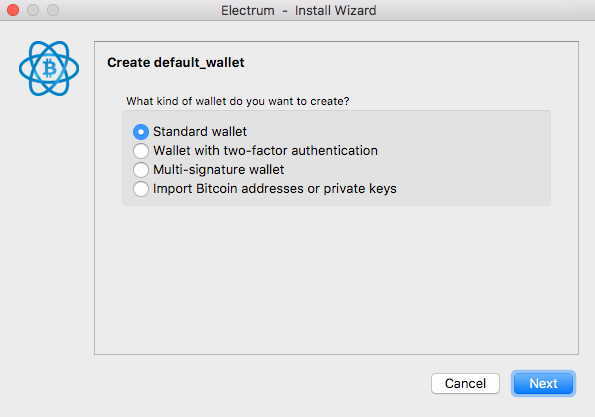
Choose Use a hardware device:
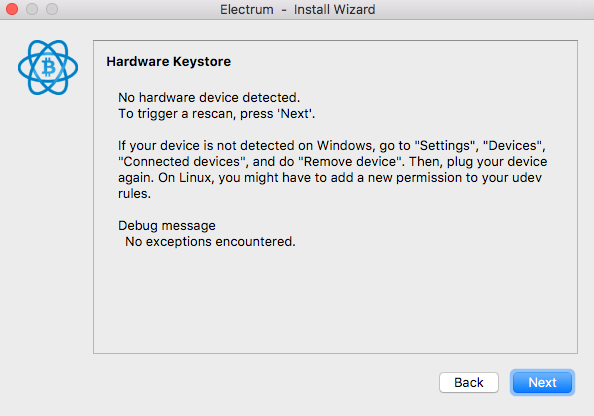
Electrum scans for connected devices. Make sure no other wallet (Vault Desktop, KeepKey Updater, Bridge processes) is running — these can grab the USB connection and hide the device from Electrum.
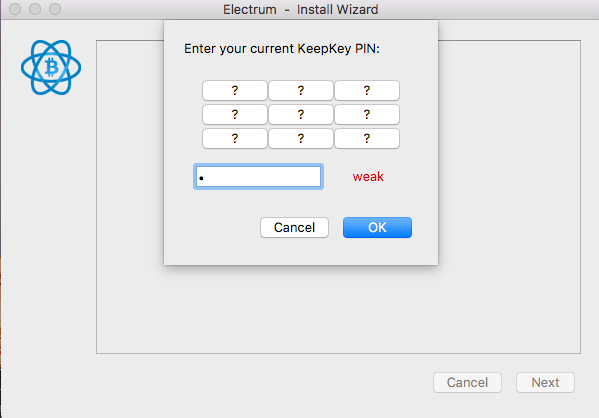
Enter your PIN on the device:
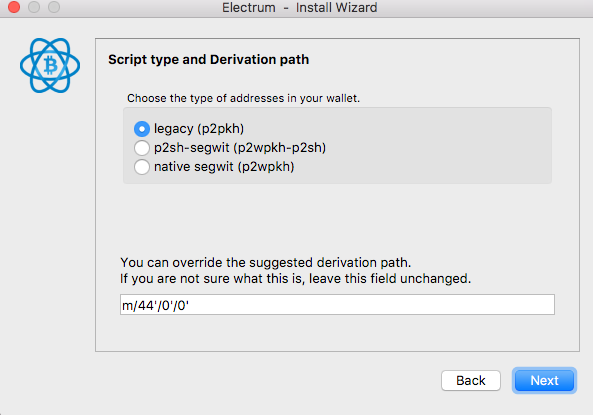
Pick a script type. Use Native SegWit (P2WSH) for the multisig — it's the cheapest and best-supported modern format:
Quick reference:
- Legacy (P2PKH) — addresses. Highest on-chain fees. Avoid.
- P2SH-SegWit — addresses. Backwards-compatible SegWit. Use only if you need to send to old wallets.
- Native SegWit (P2WSH for multisig) — addresses. Best general-purpose default for multisig in 2026.
If your KeepKey is configured with a BIP39 passphrase, Electrum prompts you for it now. The passphrase is not stored on the device; you have to enter it every time. See BIP39 Passphrase for the implications.
Test that the wallet loads, you can see addresses, and you can generate a receive address. Then close Electrum and repeat with the second KeepKey. Both should pair cleanly before you move on.
Step 2 — Build the 2-of-2 multisig wallet
Each cosigner does this on their own machine. (For learning, you can do both on the same machine in two profiles — but for the security property, the whole point is independent machines.)
Open Electrum on machine A with the first KeepKey plugged in:
- File → New wallet
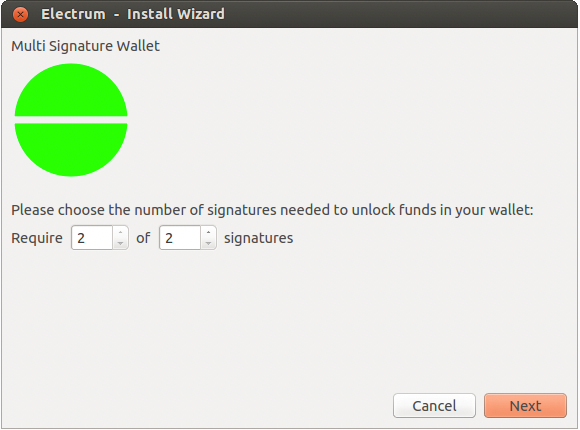
- Choose Multi-signature wallet
- Set the threshold: 2 of 2 (both cosigners must sign)
- Choose Use a hardware device for the first cosigner — this is your local KeepKey
- Pair the device, complete the script-type selection (must match between cosigners — Native SegWit recommended)
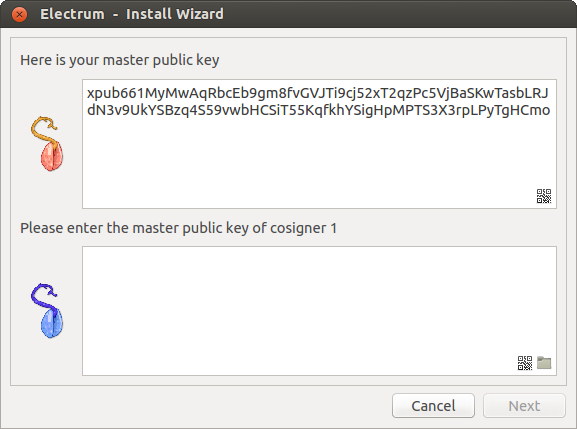
You'll be asked for the master public key (xpub) of the other cosigner:
You don't have it yet — Cosigner B is doing the same setup right now and producing their xpub. Pause here and switch to machine B (or the second profile).
On machine B with the second KeepKey plugged in, repeat: File → New → Multi-signature wallet → 2 of 2 → Use a hardware device. After Electrum extracts the xpub from the second device, copy it down (Electrum displays it — write it on paper, or copy to a buffer that gets to machine A safely).
Now back on machine A, paste cosigner B's xpub into the lower box. Electrum derives the multisig wallet.
Repeat the symmetric step on machine B: paste cosigner A's xpub. Both wallets should now show the same set of receive addresses.
Sanity check: the first receive address should be identical on both wallets. If it isn't, you've configured them inconsistently (different script type, wrong xpub, wrong threshold) and they will not be compatible. Fix this before funding.
Step 3 — Receive Bitcoin
Both wallets now generate the same set of multisig addresses. Native SegWit P2WSH multisig addresses start with
(same prefix as native SegWit single-sig — you cannot tell them apart from outside). Send a
small test amount first. Don't fund the production wallet from Coinbase or your hot wallet until you've verified you can spend, too.
Step 4 — Spend (the part most people get wrong)
Spending requires both cosigners to sign. The flow is:
On machine A (first signer)
- Send tab → fill in recipient and amount as normal.
- Electrum builds the unsigned transaction.
- Sign with KeepKey A — confirm on the device's screen.
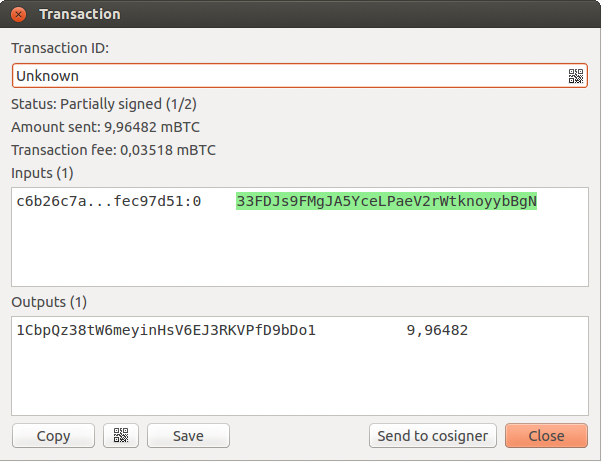
- The transaction is now partially signed (1-of-2 signatures present, 1 still needed).
A window appears with the transaction details:
Get the partial signature to machine B
You have three options:
1. Save to file → transfer via USB stick. The most paranoid option (works fully offline). Click Save in the transaction window, copy the file to a USB stick, plug it into machine B, Tools → Load Transaction → From File.
2. QR code. Click the QR icon in the transaction window. On machine B, Tools → Load Transaction → From QR Code.
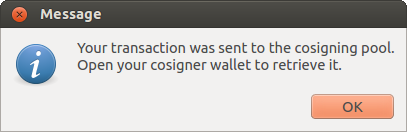
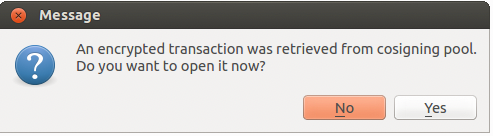
3. Cosigner Pool plugin. Enable it on both wallets via Tools → Plugins. Now Electrum exposes a Send to cosigner button that pushes the partial transaction (encrypted with the cosigner's xpub) to a relay server.
When the cosigner's wallet starts, it gets a notification:
Cosigner Pool is convenient. It is not required, and the security model assumes you don't trust it: the relay only ever sees encrypted bytes that no one but the intended cosigner can decrypt.
On machine B (second signer)
- Open the partially signed transaction (loaded from file, QR, or Cosigner Pool).
- Verify on KeepKey B's screen that the destination address and amount match what you intended. (This is the critical step — see warning below.)
- Sign with the device.
- The transaction is now fully signed. Click Broadcast.
The transaction is now on the network. Either machine can monitor it.
⚠️ Verify on the device every time
The whole multisig security property collapses if cosigner B blindly signs whatever cosigner A's machine produced. A compromised machine A could swap the destination address and present a transaction that looks normal in Electrum but actually sends to the attacker's address.
The KeepKey screen is the only thing that can't lie. Read the address on the device's screen and compare it character-by-character against the address you actually intended to send to. If they differ, abort.
This is true for every multisig setup, every wallet, every coordinator. The device's screen is the trust anchor.
Backup checklist
Before you put serious money in this wallet:
A backup you've never tested is not a backup. Test before funding.
When 2-of-2 isn't right (and 2-of-3 is)
2-of-2 has a critical weakness: lose either key and the wallet is permanently locked. If you spill coffee on KeepKey B and forget to back up its seed, the funds are gone — even though KeepKey A still works.
For real custody, 2-of-3 is the standard. You hold three keys (one of which can be a paper-only backup, no device needed), any two of which can sign. You can lose one key entirely and still spend with the remaining two.
The Electrum flow for 2-of-3 is identical — pick 2 of 3 in the threshold step, configure three cosigners (the third can be entered as an xpub from a paper-only seed), and proceed. See Multi-Vendor Bitcoin Multisig for the broader strategy.
Troubleshooting
If you can't see the device or pairing fails, see Troubleshooting connections.
Common gotchas:
- Vault Desktop or KeepKey Updater is open — close them. They hold the USB connection.
- Wrong script type between cosigners — both must match exactly.
- Wrong threshold between cosigners — both must agree on 2-of-2 (or 2-of-3, or whatever you picked).
- xpub copied with whitespace — Electrum is strict; trim leading/trailing characters before pasting.
Related